Part of the 90 Leads resource library. This article reflects guidance as of October 2026.
You search “AC repair near me” from your own truck, and three other companies show up in the map. Yours is nowhere. Or it shows up at the shop but vanishes two towns over, right where you do most of your installs.
This article walks through the most common reasons an HVAC company is not showing on Google Maps, including a few that are specific to heating and cooling, and what to fix first. You can check most of it yourself in an afternoon.
How Google decides who shows up in the Map Pack
Google says local results are based mainly on three things: relevance, distance and prominence. That comes straight from Google’s own help page on local ranking.
- Relevance: how well your Google Business Profile (GBP) matches what the person searched. “Furnace repair” needs a profile that clearly says you do furnace repair.
- Distance: how far your business is from the searcher, or from the location in their search.
- Prominence: how well known and trusted your business is. Google points to things like reviews, links and how your business shows up across the web.
The Map Pack is the box of three businesses with a map above the regular results. When you are missing from it, one of those three is usually the weak spot, so the fixes below are grouped the same way.
First, check whether your profile is actually live
Before changing anything, make sure the profile itself is healthy.
- Verified: Sign in and confirm your Business Profile says verified.
- Suspended or limited: Look for a warning banner. Suspensions often follow a name or address change, or a keyword-stuffed name.
- Duplicates: Search your name and phone number on Google Maps. Two listings split your reviews and confuse Google.
- Search your exact business name: If you show up for your name but not for “HVAC repair,” the profile is live and the issue is ranking, not visibility.
Relevance problems: Google isn’t sure what you do
If your profile is live but you don’t appear for service searches, Google isn’t connecting you to them. This is the easiest group to fix.
Your primary category is off
Your primary category carries a lot of weight. If you mostly do repair and replacement, a category like “HVAC contractor” or “Air conditioning contractor” usually fits better than something broad. Then add secondary categories for the other work you actually do, such as heating or furnace repair. Only pick categories that match real services.
Services and description are thin
Fill in the Services section with the jobs you want calls for: AC repair, furnace repair, heat pump installation, ductless mini splits, maintenance plans. Then write a plain description of what you do and where, the way you’d explain it to a homeowner, with no keyword lists.
Your website doesn’t back it up
Google reads your website too. One “Services” page with a list of bullets gives it little to work with. A page for each major service, with the towns you serve mentioned naturally, helps Google match you to more searches. This is a big part of what we look at in SEO and Google Maps work.
Distance problems: you’re a service area business
Most HVAC companies don’t have customers come to the shop. Google calls this a service area business. Google’s guidelines for representing your business say a business that serves customers at their location should hide its address if customers don’t visit it, and set a service area instead.
Here’s the part owners don’t like to hear: a big service area does not make you rank everywhere in it. Distance from your business still counts, which is why you can rank near the shop and disappear 15 miles out.
What actually helps in the towns farther away:
- Pages on your website about the work you do in those areas, with real details, not copy-and-paste city pages. Build them around where your trucks actually go; we cover how in service-area pages that match your dispatch map.
- Reviews from customers in those towns that mention the work and the place in their own words.
- Photos of real jobs in those areas posted to your profile.
Don’t set up a virtual office or mailbox address to get a pin in another town. Google’s guidelines don’t allow it, and it is a common reason profiles get suspended.
Prominence problems: competitors look more trusted
If you’re live and relevant but still in sixth or seventh place, prominence is usually the gap. In HVAC that mostly means reviews.
Reviews: count, recency and replies
Google lists reviews as part of prominence, and its local ranking page notes that high-quality, positive reviews can improve your visibility. Homeowners read them too: steady reviews from last week look safer than a newest review from last winter.
- Ask every happy customer, right after the job, with a direct review link sent by text.
- Reply to every review, good or bad, in a calm, short way.
- Never buy reviews or offer discounts for them. Google’s review content policy prohibits incentivized and fake reviews.
Your business name has extra keywords
“Smith Heating & Air | Best AC Repair Anytown 24/7” breaks Google’s guidelines, which say your name should match your real-world business name. Competitors can report it, and the usual result is an edit or a suspension. Use the name on your vans.
HVAC-specific traps that keep you off the map
Some Maps problems are more common in heating and cooling than in other trades. Check these too.
Hours that don’t match what you actually offer
Many HVAC companies list “Open 24 hours” because an answering service picks up overnight. If a homeowner calls at 2 a.m. with no cooling and learns the first tech is out tomorrow afternoon, that can turn into a bad review. Set hours that match when you can actually dispatch, and use Google’s special hours for holidays and peak weeks. Answering and dispatch are different promises, which we cover in matching no-cooling leads to real dispatch capacity.
Mismatched info from dealer and manufacturer listings
HVAC contractors often show up in places other trades don’t: equipment brand dealer locators, utility rebate contractor lists, and supplier directories. These are often set up once and forgotten. If one still shows an old phone number, an old address or a former company name, it works against the consistency Google looks for. Check each one and make your name, phone and website match your profile.
Waiting until the heat wave to fix it
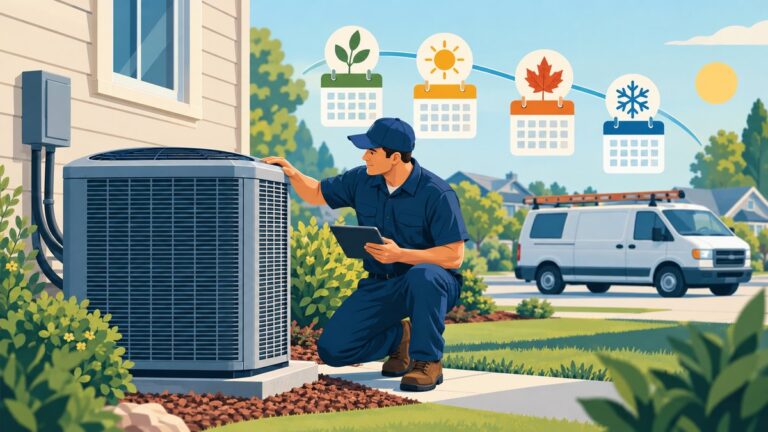
Searches for AC repair jump in the first hot week, and furnace repair jumps with the first cold snap. That is when homeowners pick fast from the top three. Profile fixes and new reviews take time to show up, so do this work in the shoulder months, not in the middle of the rush.
When paid ads make sense while Maps catches up
Organic Maps rankings take time, especially in towns far from your shop. Google Local Services Ads and Google Ads can put you at the top of the page in those areas while the organic work builds. Local Services Ads also show a Google badge that tells homeowners Google screened your business. Many owners still call it Google Guaranteed. You pay per lead rather than per click, so answering every call matters.
What to do this week
- Search your business name on Google Maps. Confirm the profile is verified, not suspended, and has no duplicates.
- Check your primary category and add accurate secondary categories.
- Fill in the Services section with the jobs you want more of.
- Remove any extra keywords from your business name.
- If customers don’t visit your shop, hide the address and set your service area.
- Set up a simple review request text your techs send after every completed job.
- Upload 5 to 10 real job photos: installs, condensers, furnaces, your vans.
- Check brand dealer locators and rebate contractor lists for an old phone number or address.
FAQ
Why does my HVAC company show up at the shop but not in nearby towns?
Distance is one of Google’s main local ranking factors. Your service area setting tells Google where you work, but it does not override how far the searcher is from your business. Location-specific website pages, local reviews and paid ads help fill the gap.
How long does it take to show up on Google Maps after fixing my profile?
Simple fixes like categories or a reinstated profile can show up within weeks. Gains from reviews and website content build over months. Google doesn’t publish a timeline.
We do HVAC and plumbing. Do we need two profiles?
Usually not. Google’s guidelines call for one profile per business, so a combined shop typically uses one profile with categories for both trades. The plumbing side has a few of its own wrinkles, covered in our plumber version of this checklist.
Want a second set of eyes on your Maps visibility?
Still can’t figure out why you’re missing from the map? We can look at your profile, your website and the competitors outranking you. See how we help HVAC companies, or get a free growth assessment and we’ll show you what to fix first.