Paving is one of the trades where search ads matter most, because the other paid route is closed. When we last checked, Google listed no paving category for Local Services Ads (see whether paving contractors can run them). That leaves regular Google Ads, where a few settings decide whether the money goes to estimate requests or to people looking for a video game.
Sources: Google Ads Help, “About advanced location options,” “Prevent clicks outside of your geo-targeted locations” and “About negative keywords,” checked November 20, 2026. The paving keyword lists, campaign structure and budget method are ours. This article gives no cost figures because we don’t have paving numbers of our own to publish yet.
Change the location setting first
Google’s default location option shows ads to people in your area, regularly in it, or who have shown interest in it. Someone three states away who searches your town’s name can count as interested.
Google’s help page gives the fix: in the campaign’s location options, choose “Presence,” which limits ads to people in or regularly in the places you target. For a contractor who can only pave where the trucks can reach, that is the setting to use.
Then target the towns you will really drive to, not the whole state.
Block the searches you don’t want
Negative keywords stop an ad from showing on a search. Google’s help page notes one catch: negatives don’t stretch to cover close variations the way regular keywords do. Block “job” and an ad can still show for “jobs.” Add the singular, the plural and the obvious synonyms.
| Block these | Why |
|---|---|
| job, jobs, hiring, salary, career, careers | People looking for work |
| how to, DIY, cold patch, patch kit, sealer bucket | Homeowners doing it themselves |
| calculator, per ton, price per ton, plant, supplier | People pricing material, not a contractor |
| shingle, shingles, roofing | “Asphalt shingles” is a roofing search |
| game, download, apk, legends | “Asphalt” is also a racing video game series |
| paver, pavers, paving stones, brick | Only if you don’t lay pavers |
| gate, alarm, sensor, lights | “Driveway” products |
That list is our own starting point. After the first two weeks, open the search terms report and add whatever else shows up.
Separate campaigns by the job
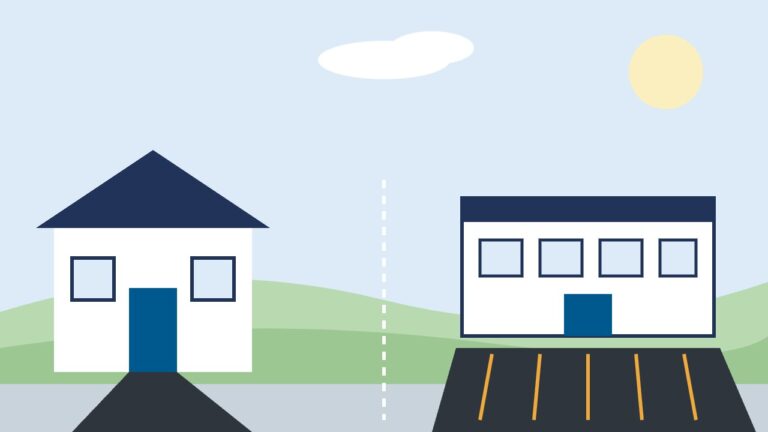
A homeowner pricing a driveway and a property manager planning a parking lot search differently, are worth different amounts, and should land on different pages.
- Driveways. Residential searches: asphalt driveway, driveway paving, driveway replacement, chip seal or tar and chip where you offer it.
- Parking lots and commercial. Parking lot paving, parking lot repair, striping, commercial paving contractor.
- Maintenance. Sealcoating and crack sealing, if you want that work. Leave it out if you don’t.
Send each ad to the matching service page, never the home page. Give each campaign its own budget so driveway clicks can’t use up the parking lot money.
Work out the budget instead of guessing
- Open Keyword Planner inside Google Ads and enter your keywords and your towns. It gives estimated click costs for your area.
- Decide what a signed job is worth to you in each campaign.
- Run a small test for a month and count three things: clicks, estimate requests and signed jobs.
- Divide spend by signed jobs. If that number works against what the job is worth, raise the budget. If it doesn’t, fix the search terms and the page before spending more.
For how ads fit into the rest of your spending, see a practical marketing budget for home-service businesses.
Count calls and forms, and write down the job type
Set up conversion tracking for phone calls and form submissions before the first ad runs. Then have the office note what each caller wanted. Ten calls for pothole patches and ten calls for parking lots are not the same result, and Google can’t tell them apart unless you do.
Run the ads when you can take the work
- Lower or pause budgets when the ground is frozen or the schedule is full for weeks.
- Start again before the season opens, since commercial customers plan ahead.
- Show ads during the hours someone answers the phone.
For why the two kinds of customer need separate campaigns, see driveways vs. parking lots. Once the click arrives, the page has to earn trust: see how an honest contractor shows he isn’t a paving scam. If the map is where you’re missing, read why a paving company doesn’t show on Google Maps. Want us to look at your account’s search terms? Build a growth plan with us, or see our paving marketing page.